
Download WhosVisiting – real-time visitor tracking, website analytics, monitor website traffic, online visitor insights, visitor data monitoring
Overview
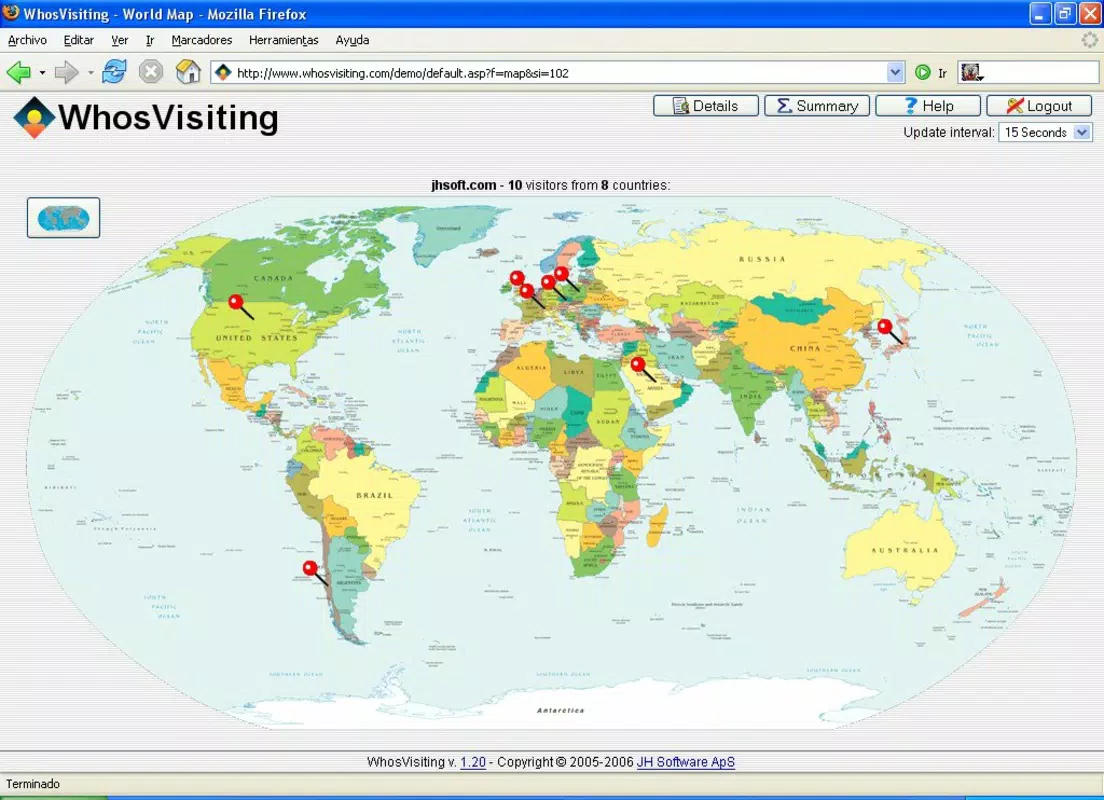
WhosVisiting is a web-based tool designed for website administrators and digital content managers who require real-time insights into their site’s audience. By installing the application on a server and accessing it through a browser, users gain immediate visibility into current visitor activity. The app’s primary purpose is to enhance website analytics by delivering live data on who is visiting, where they are located, and how they interact with content. This functionality is especially useful for managing dynamic websites, e-commerce platforms, or content-heavy portals where timely user behavior data supports strategic decision-making.
WhosVisiting addresses the common challenge of delayed or incomplete analytics by offering up-to-the-minute tracking, enabling quick responses to traffic spikes, user engagement patterns, or potential security concerns. The target users include small business owners, web developers, digital marketers, and site operators who need actionable intelligence without relying on third-party platforms. Although the developer did not provide additional background on the organization, the app has been available since 2006, indicating a long-standing presence in the web analytics space.
Real-world use cases include monitoring live event websites, tracking campaign performance, and identifying regional traffic trends. Its role in the broader app ecosystem lies in offering a lightweight, server-side alternative to cloud-based analytics tools, promoting data ownership and privacy. The tool supports a self-hosted model, allowing users full control over their visitor data.
Key Features & Functionality
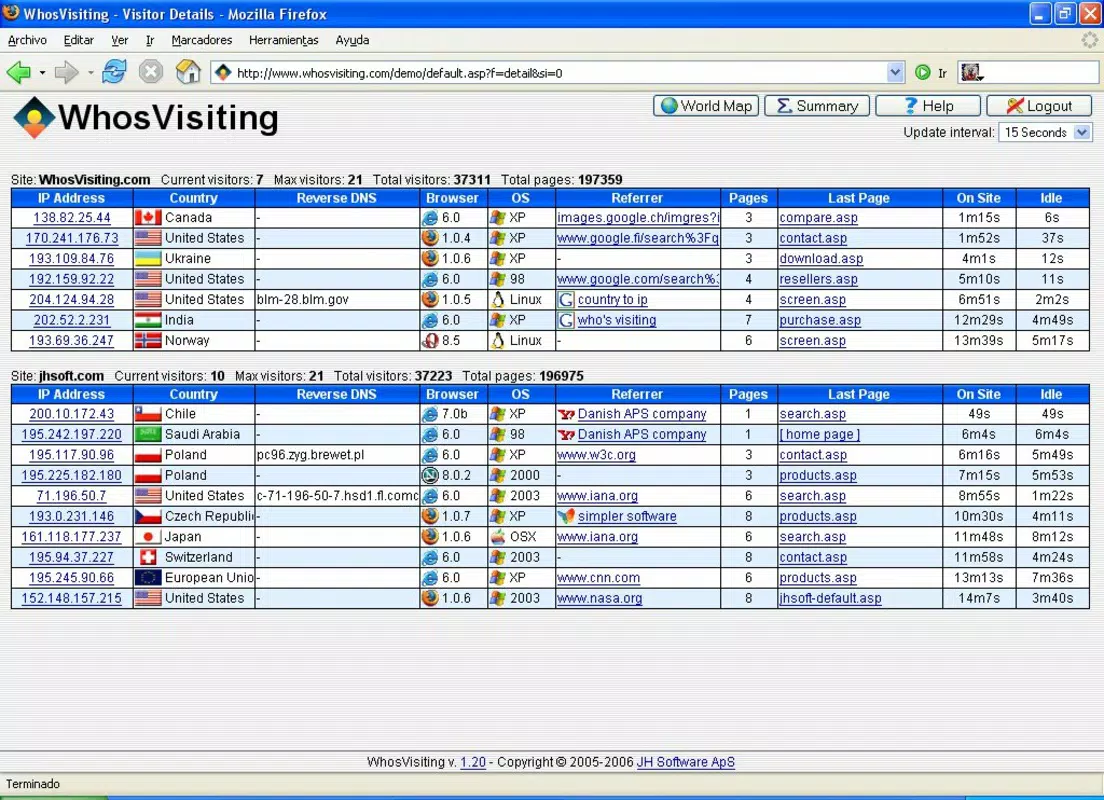
- Real-Time Visitor Tracking: Provides live updates on current website visitors, allowing administrators to see active users as they engage with content. This is ideal for monitoring live events, new content launches, or sudden traffic surges.
- Comprehensive Visitor Information: Displays detailed data for each visitor, including IP address, country of origin, operating system, and HTTP referrer. This enables targeted content delivery and informed marketing decisions.
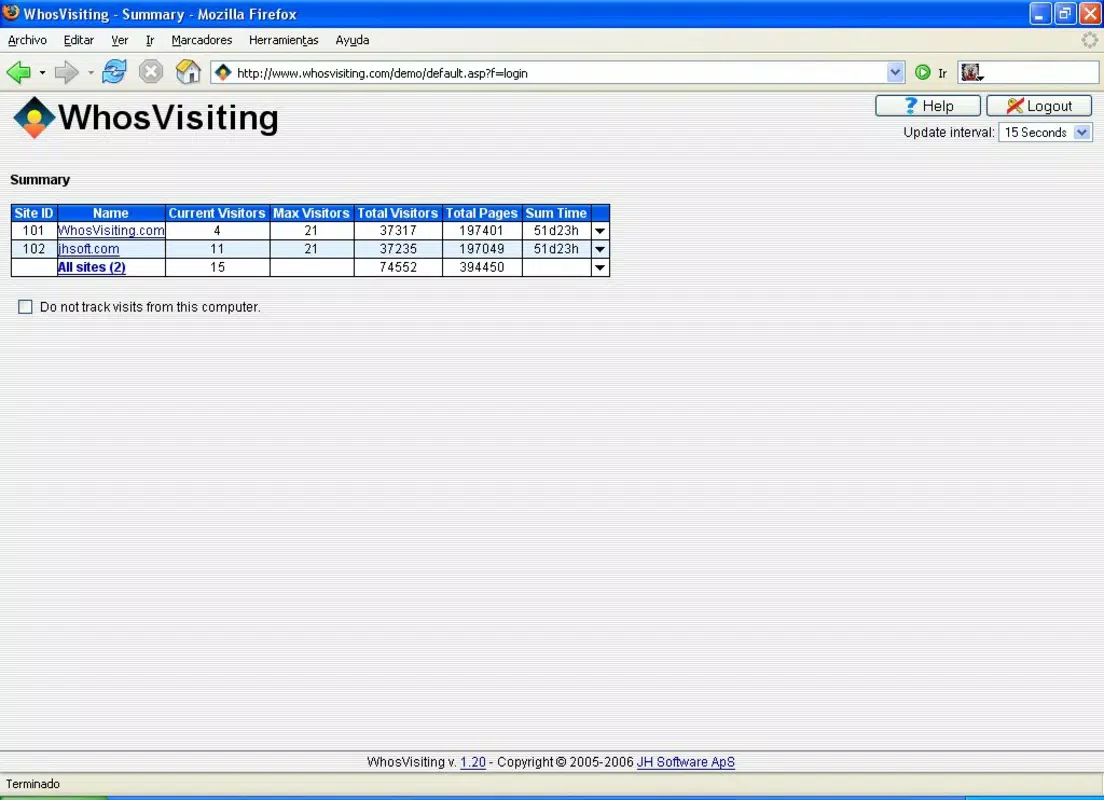
- Website Selection for Monitoring: Users can choose which websites to track from the control panel, supporting multi-site management without requiring separate installations.
- Visitor Statistics Overview: Offers a summary of key metrics such as maximum concurrent visitors and total visit counts, helping evaluate site performance and user engagement over time.
- User-Friendly Interface: Designed for accessibility, the control panel allows users with minimal technical experience to navigate visitor data and generate insights efficiently.
Each feature is tailored to support operational efficiency. For example, real-time tracking can help a content manager identify when a viral post drives traffic and adjust content strategy accordingly. The ability to monitor multiple sites from one interface streamlines workflow for agencies managing several client websites. The detailed visitor data can also assist in detecting suspicious activity, such as repeated visits from a single IP, contributing to basic site security.
Interface, UX & Performance
The interface of WhosVisiting is structured around a clean, browser-based control panel, optimized for ease of navigation and clarity. Visual elements are minimal, focusing on data presentation rather than decorative design, which aligns with its utility-driven purpose. Users can access visitor lists, statistics, and monitoring settings through a logical menu hierarchy, ensuring smooth workflow progression.
Navigation is straightforward, with clearly labeled sections and consistent layout patterns. The design prioritizes functionality over aesthetics, making it suitable for users who value speed and accuracy over visual polish. Although the developer did not list formal performance metrics, the application operates within a 15 MB file size, suggesting efficient resource usage. This lightweight footprint supports stable operation on modest server environments.
Responsiveness is maintained across different screen sizes, allowing access from desktops, tablets, and mobile devices. Stability appears consistent, as the app has remained in use since 2006, though no official reports on crash rates or uptime were provided. Overall, the user experience is designed for practicality, minimizing learning curves and enabling rapid deployment.
Platform Compatibility & Technical Requirements
WhosVisiting is a web-based application, meaning it runs through a browser and does not require a native mobile app installation. It is compatible with any platform that supports modern web standards, including Android, iOS, and desktop operating systems. The app operates on servers, not end-user devices, so compatibility depends on the hosting environment rather than individual device specifications.
The software version is 2.0.0, and the file size is 15 MB, which reflects the core application package. The developer did not specify minimum OS requirements or browser compatibility details. However, since it is server-side and accessed via a browser, it is expected to work with current versions of major browsers such as Chrome, Firefox, Safari, and Edge.
Users are responsible for deploying the application on their own server, which may require basic server management skills. The lack of detailed technical requirements means that compatibility with specific hosting providers or configurations was not disclosed.
Pros and Cons
Pros
- Free to use with no licensing fees
- Real-time visitor tracking provides immediate insights
- Supports monitoring multiple websites from a single interface
- Lightweight file size (15 MB) for efficient deployment
- User-friendly control panel suitable for non-technical users
- Self-hosted model ensures data privacy and ownership
Cons
- Requires server installation and maintenance
- Developer did not provide detailed technical specifications
- Web-based access limits offline functionality
- No mobile app available for on-the-go monitoring
- Compatibility with specific hosting environments not confirmed
FAQ
Is WhosVisiting available as a mobile app?
WhosVisiting is a web-based tool and does not have a dedicated mobile application. It can be accessed through any mobile browser, but a native app is not currently available.
Can I use WhosVisiting on multiple websites?
Yes, the application allows users to select and monitor multiple websites from the same control panel, making it efficient for managing several domains.
Is WhosVisiting secure to use?
As a self-hosted solution, WhosVisiting allows users to maintain full control over their visitor data, which enhances security. However, users are responsible for securing their own server environment.
Do I need technical skills to install WhosVisiting?
Basic server management knowledge is recommended for installation and setup. While the interface is user-friendly, the deployment process may require familiarity with web servers and file configurations.
How often does WhosVisiting update visitor data?
WhosVisiting provides real-time tracking, meaning visitor data is updated continuously as users interact with the monitored websites.
Final Thoughts
WhosVisiting stands out as a reliable, free tool for website administrators who prioritize real-time visibility and data ownership. Its ability to deliver live visitor insights, combined with a straightforward interface and support for multiple site monitoring, makes it a valuable asset in the productivity and analytics space. While it requires server-side deployment and lacks a mobile app, its lightweight design and long-standing availability demonstrate resilience and practicality.
For small businesses, digital marketers, and independent developers seeking a secure, self-hosted alternative to cloud-based analytics, WhosVisiting offers a compelling value proposition. It empowers users to make informed decisions based on current data, without relying on third-party services.
Download WhosVisiting now


